
Make your podcast without an editing subscription.
ShareCut Studio · Desktop beta in development

Shape the edit.
Arrange your tracks
Trim and move clips in the multitrack timeline.
Shape the mix
Adjust levels and audio processing, then listen to the result.
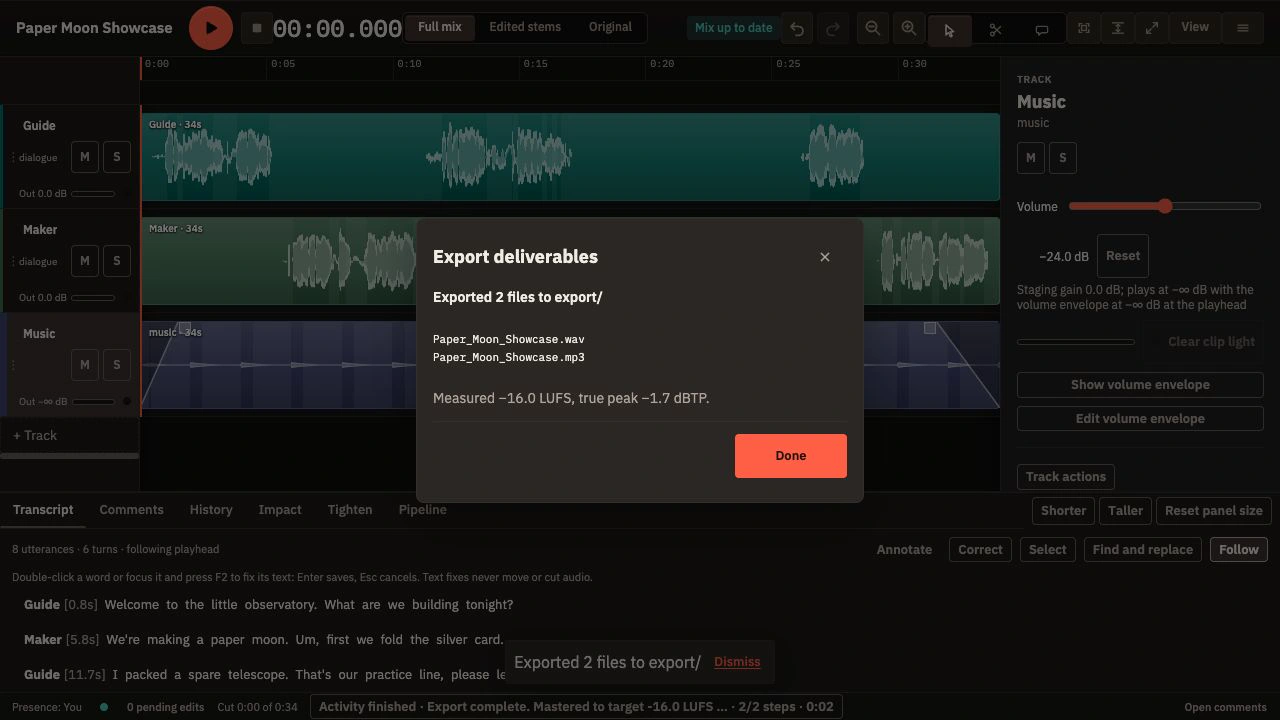
Export your episode
Render your mix and export the episode. Revisit saved changes in History.
Edit the words. Keep the audio in step.
Select a phrase in the transcript and cut its audio. Undo brings it back.

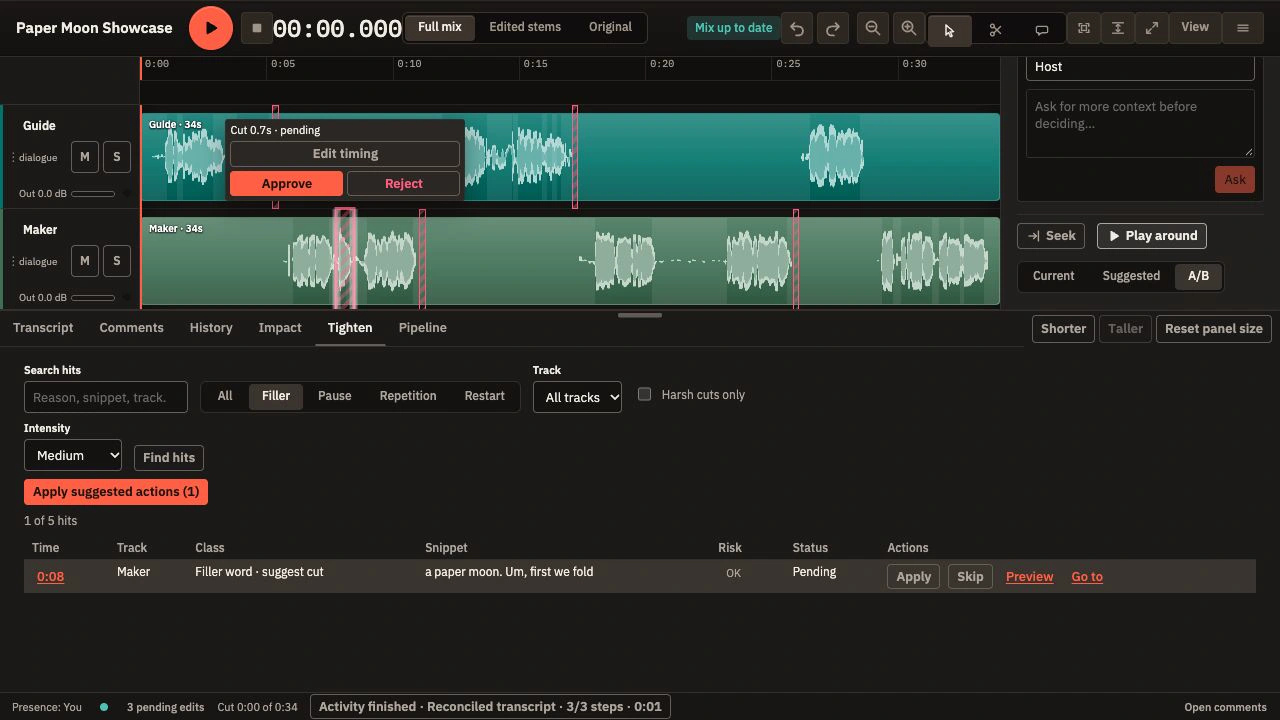
Try a tighter take. Keep control.
Compare a filler suggestion before you apply it. Keep the change or Undo.
Give each speaker turn its own lane.
Split a conversation into editable speaker turns, then review uncertain stretches.
This attributes turns; it does not isolate overlapping voices.

Invite guests with a link. No downloads. No sign-up.
Your guest joins in their browser, even for a single conversation.
Explore recording and review
Transcribe locally. No minutes to buy.
Download a supported speech model and generate a transcript on your computer.
Put feedback at the right moment.
Keep comments tied to the moment you mean. Share a review link when you are ready for another listener.
See collaboration options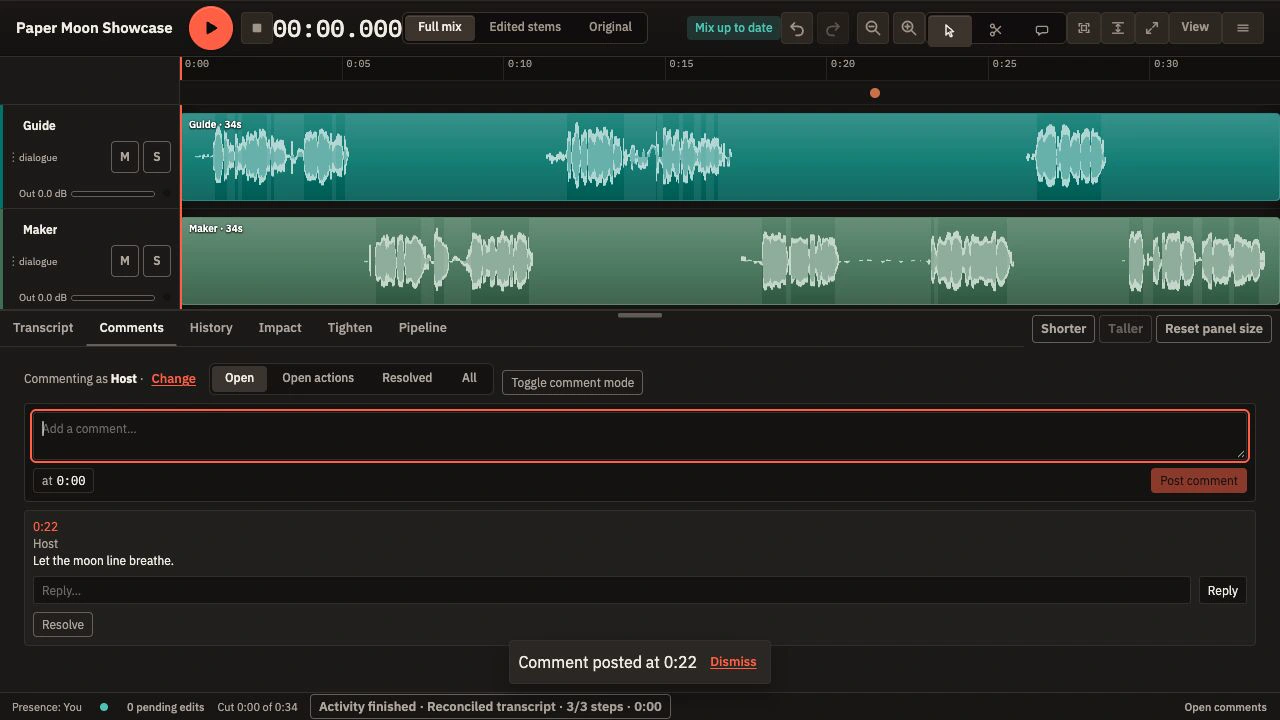
Finish with voices and music.
Balance your mix, choose your export formats, and render the episode.
Choose your own agent.
Connect an external MCP-compatible assistant when you want one, or use the editor on its own.
There is no mandatory bundled cloud-AI plan. Your chosen provider may have its own account or fees.
See agent and developer toolsFree workflow. Planned paid services.
Recording, local transcription, editing, audio processing, export, and self-hosted collaboration will always be free.
Podcast hosting
Hosting for podcast episodes and RSS feeds.
Cloud-hosted projects
Planned for v1, not beta: keep your project and audio in the cloud so collaborators no longer depend on your personal computer staying online.
Cloud compute
Processing on hosted resources when you choose to use them.
Local editing stays free
Local editing without internet remains free.
Our aim is for paid services to replace a service you would otherwise pay for.
Pricing and service details have not been announced.
A few practical questions.
Will the basic product stay free?
Yes. The local production workflow and self-hosted collaboration will stay free. Optional hosting, storage, cloud compute, and external assistants may cost extra.
Do I buy transcription minutes?
No. Download a supported speech model first; transcription then uses your computer’s processing power and storage.
Do recording guests need an account or an app?
No. They open a recording link in their browser.
Do I need an AI assistant?
No. You can use the editor on its own. A chosen external MCP-compatible assistant may require its own account or payment.
Can I edit locally without internet?
Yes. Local editing without internet remains free. Download the required tools and models first. Online guest links and external services need a connection.
Can collaborators work while my computer is off?
In this beta, online links depend on the computer holding the project staying running and connected. Paid cloud-hosted projects are planned for v1, so collaborators would no longer depend on your personal computer. That service is not part of the beta.
Does everything stay on my computer?
Local editing and local transcription run on your computer. Guest collaboration, configured review-media storage, and external assistants have separate data paths. Planned cloud services would use hosted resources.
Start with your next episode.
Check the current builds and first-use notes, then try the workflow on sample audio.